


 EN
EN
Leave Your Message


Materials
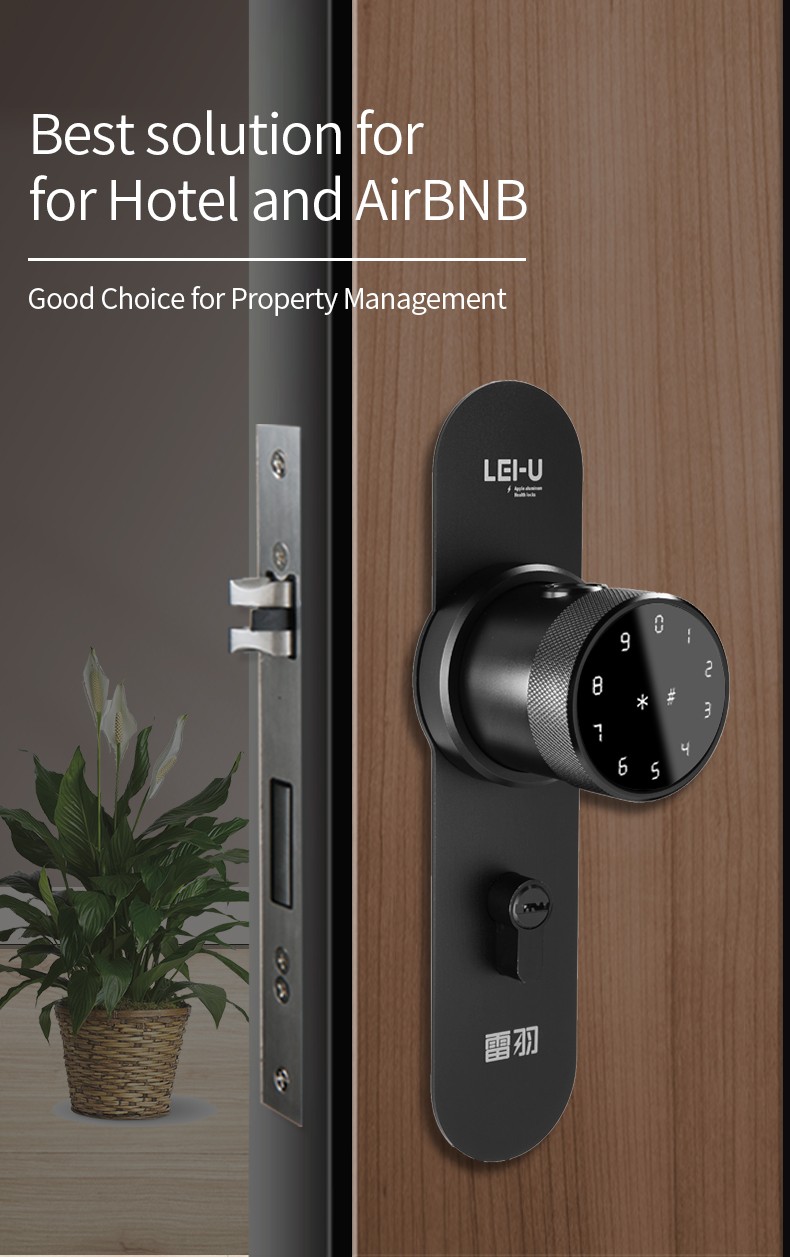
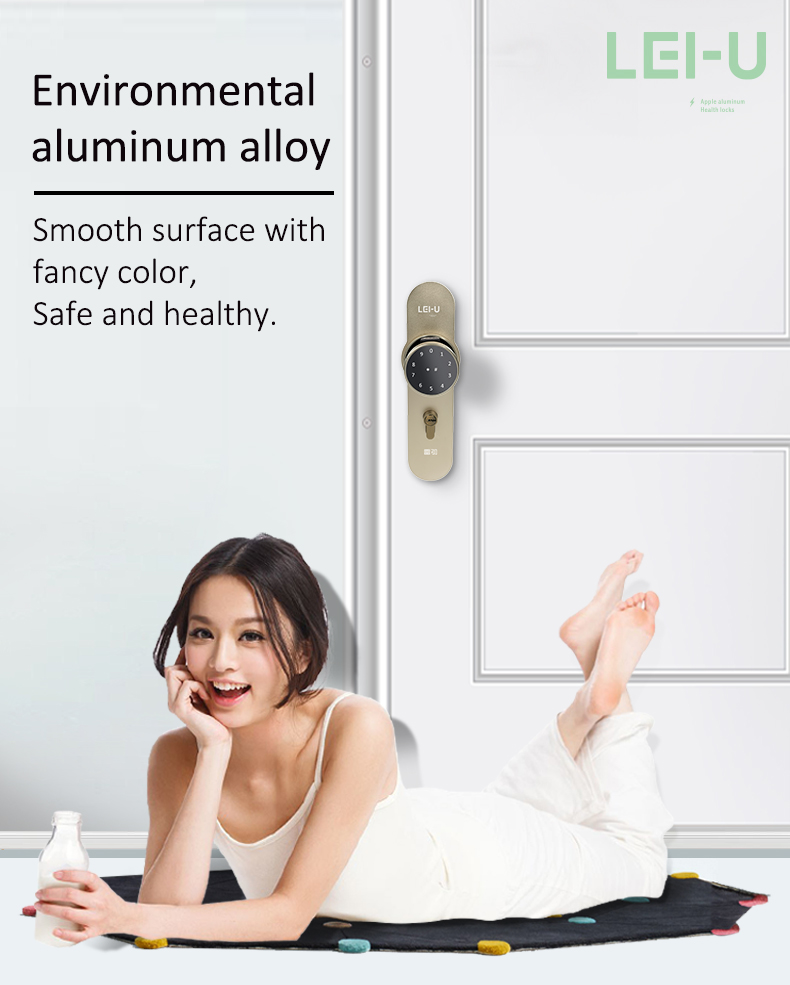
High Density Aluminium Alloy
Surface Treatment
Anodization
Anodization
Living fingerprint recognition, 0.5 second speed recognition
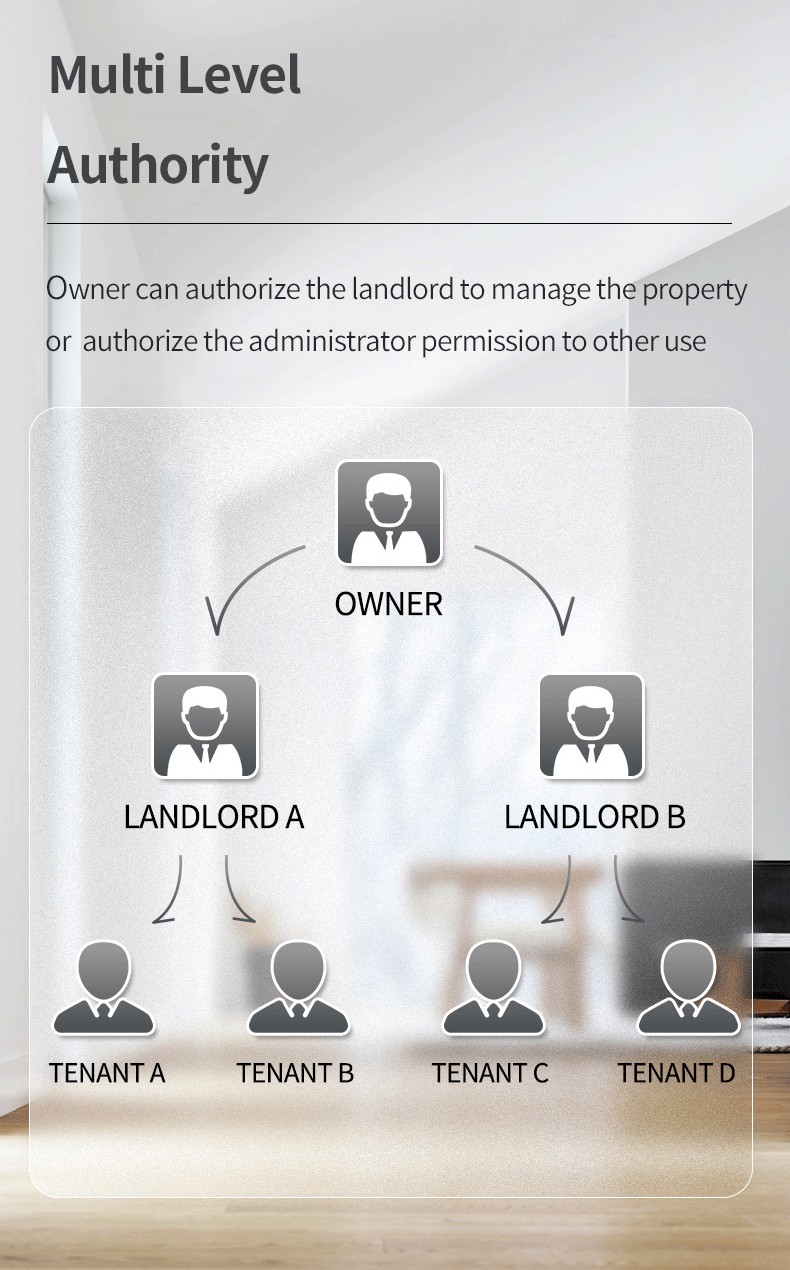
Administrator Capacity
100 PCS
User Capacity
100 PCS
Fingerprint Capacity
100 PCS
Password Capacity
20 PCS
IC Card Capacity
50 PCS
APP
TUYA APP (Bluetooth)
Unlock Mode
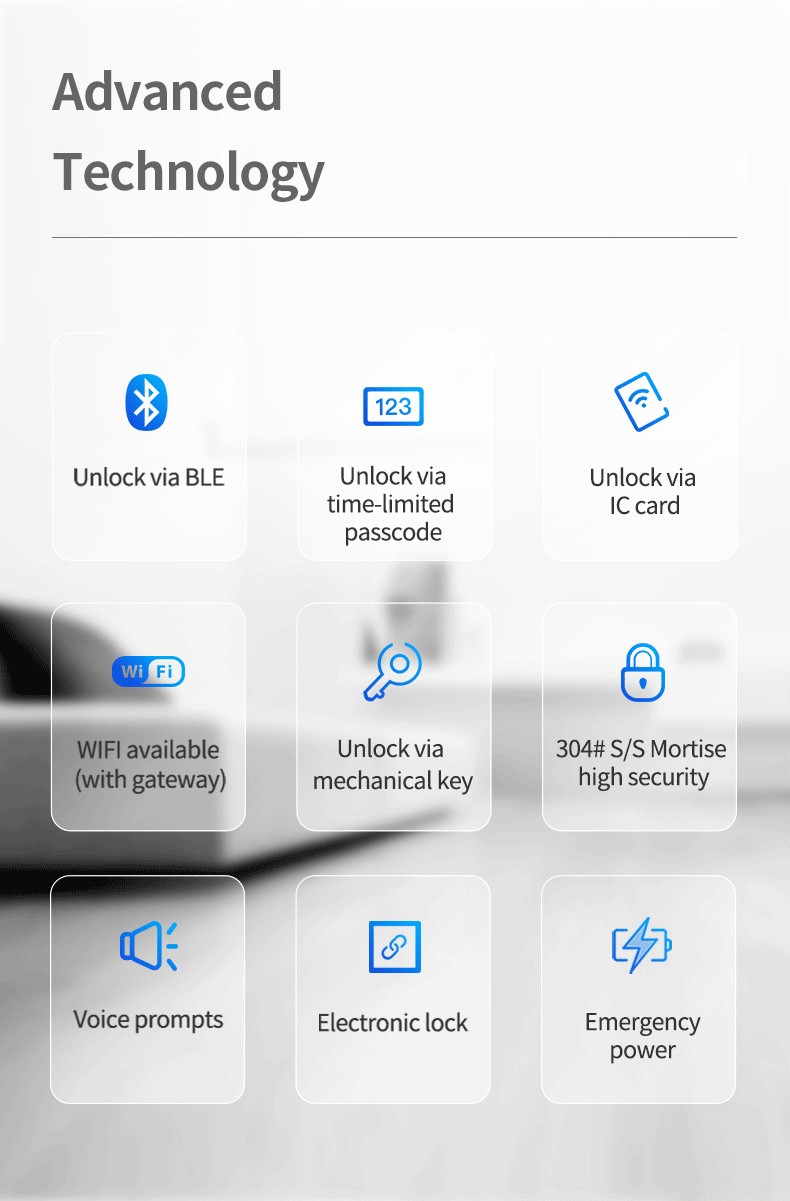
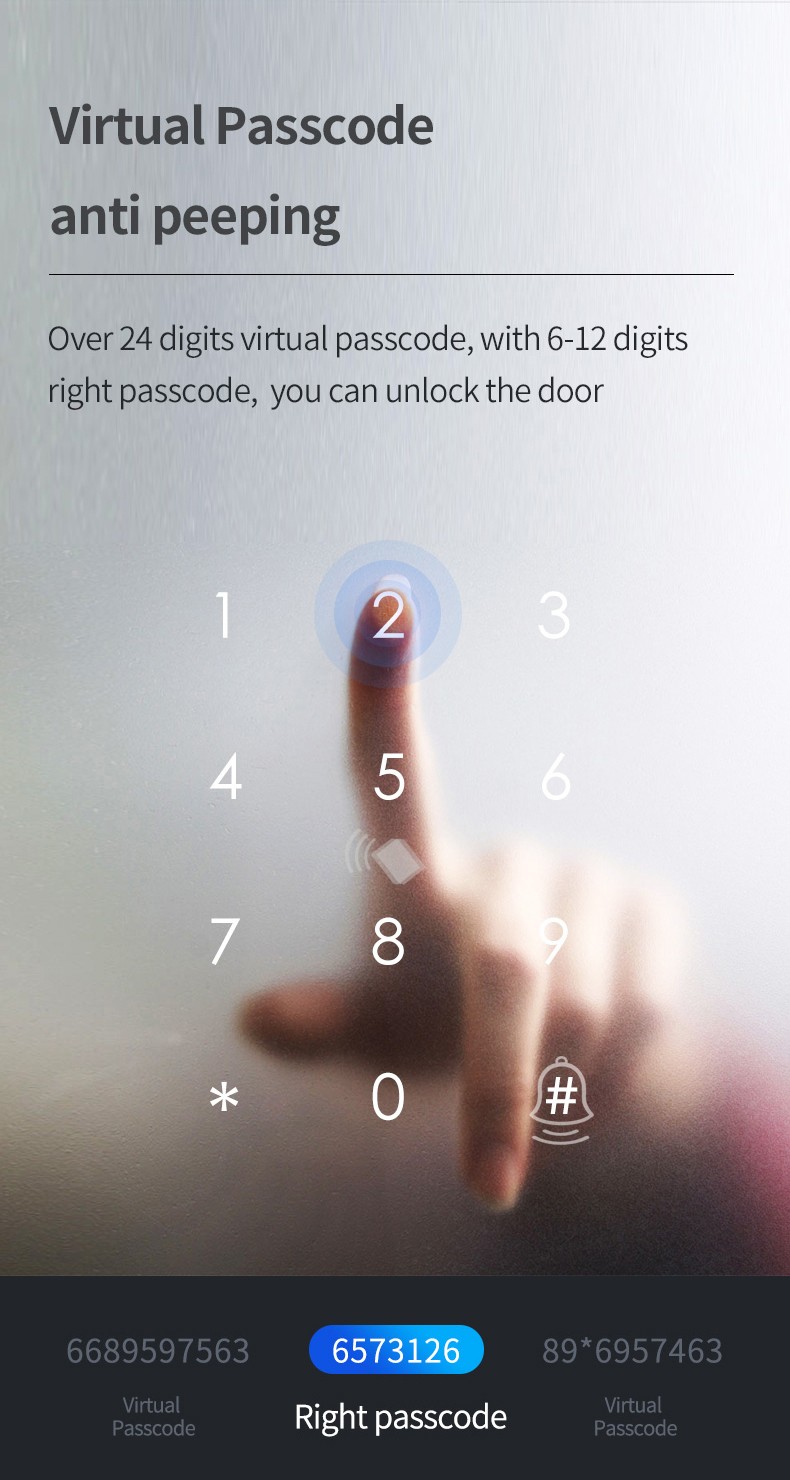
Fingerprint(optional), Password, IC Card, Bluetooth, Keys
Fingerprint Resolution
500 DPI
False Rejection Rate
(FRR)<0.1%
False Accept Rate
(FRA)<0.001%
Power Supply
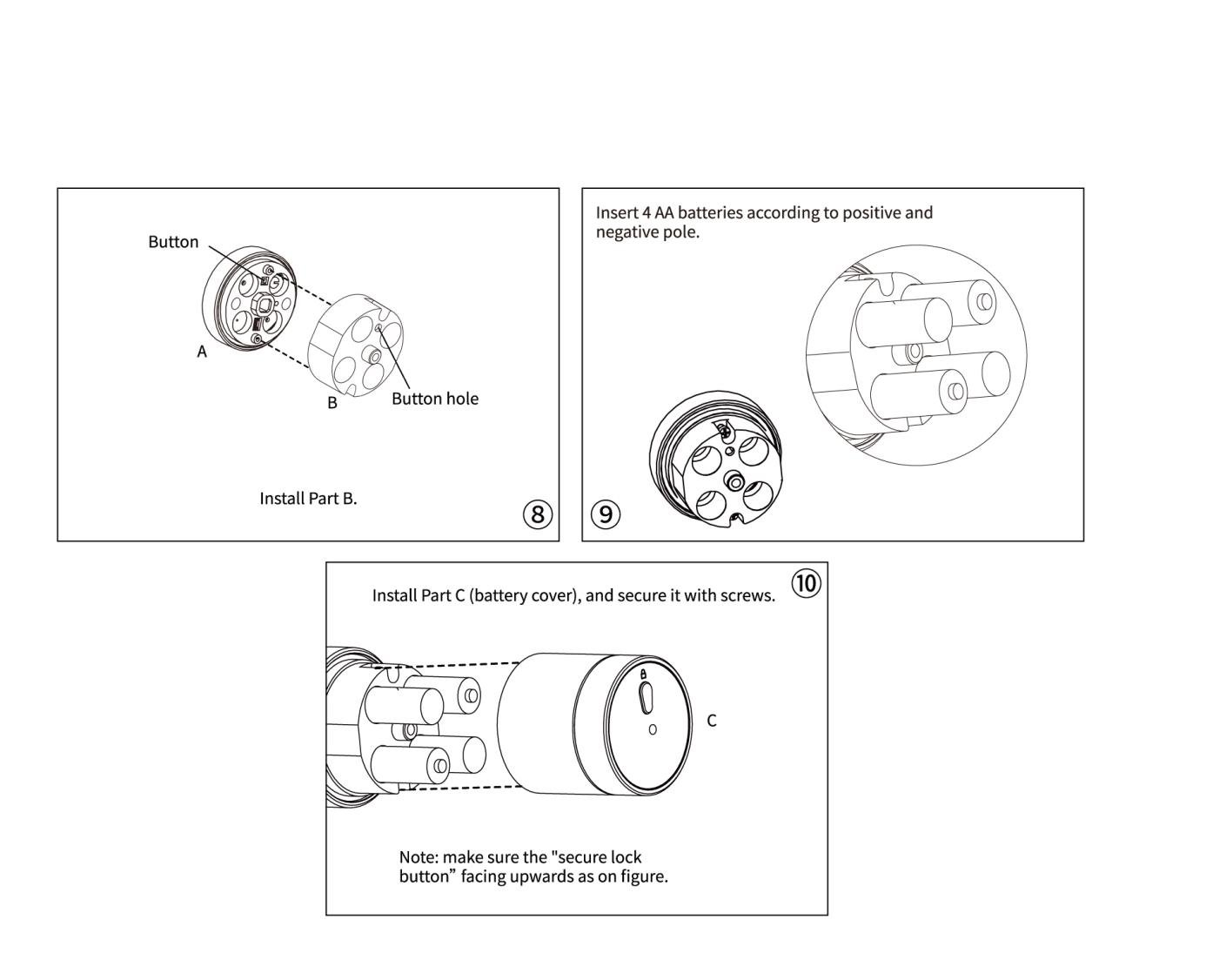
4 PCS AA Battery
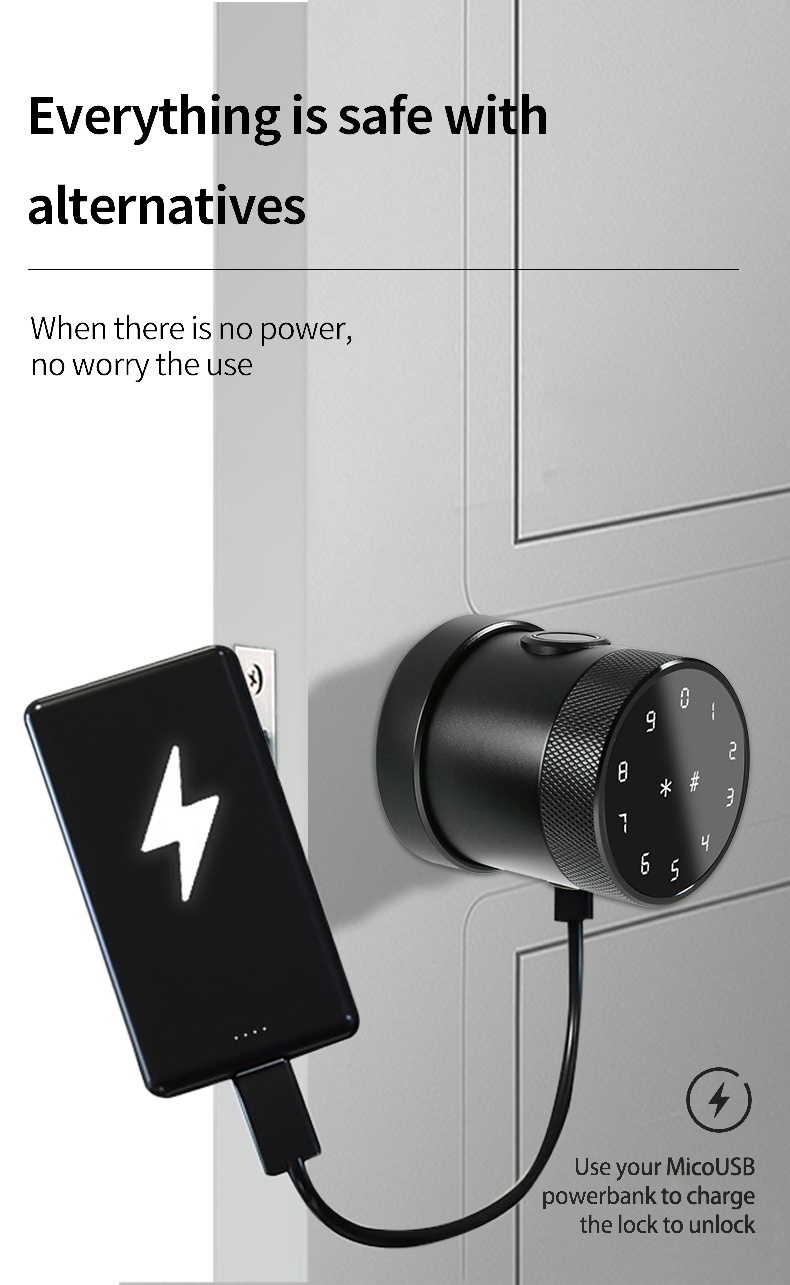
Backup Power
USB Interface
USB Interface
1 year
Work Temperature
-25~65℃
Working Relative Humidity
Working Relative Humidity
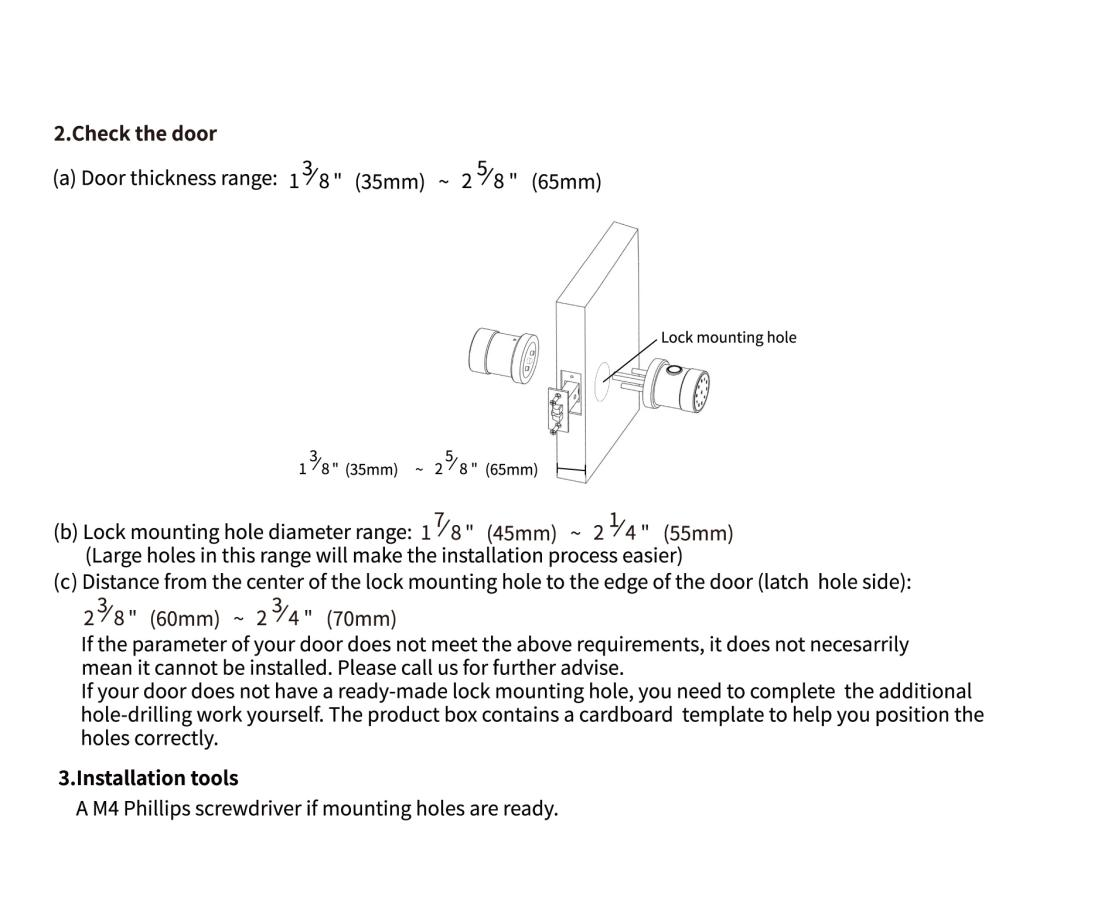
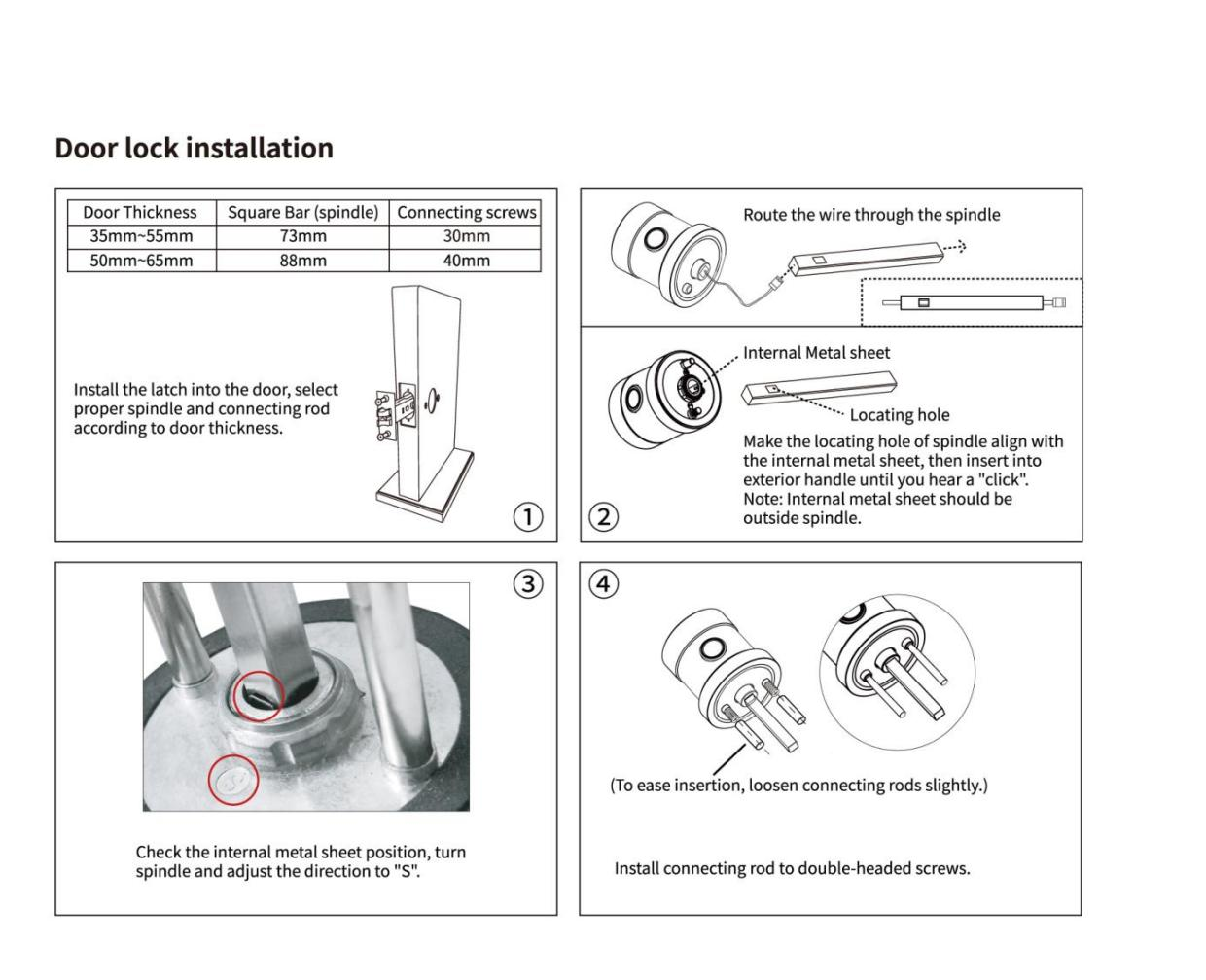
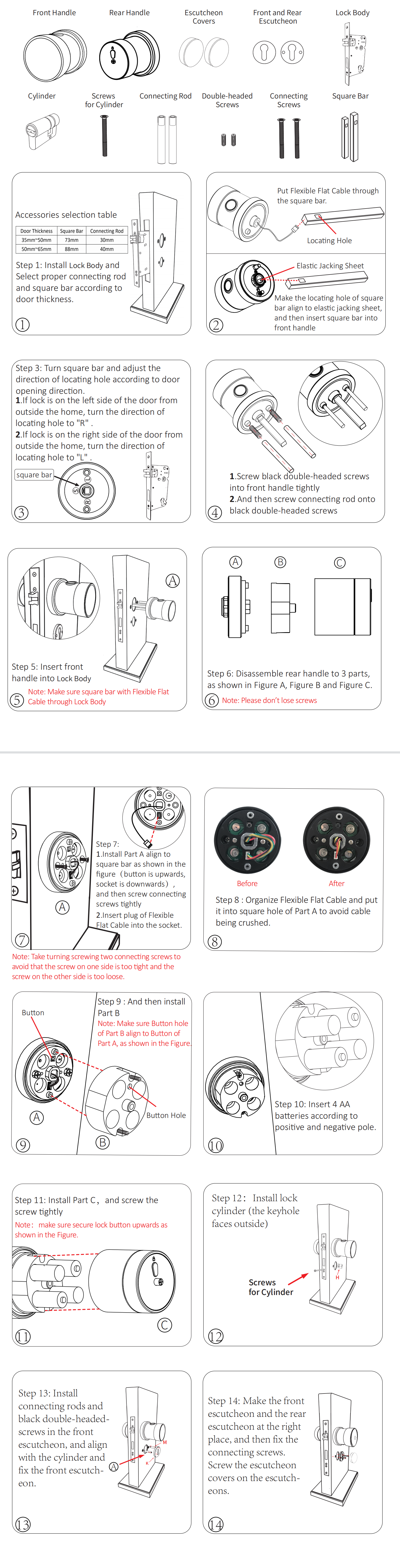
Door Thickness
35mm--65mm
Lock Body
Single-Latch,and suitable for the lock body which's backset is bigger than 45mm
Color
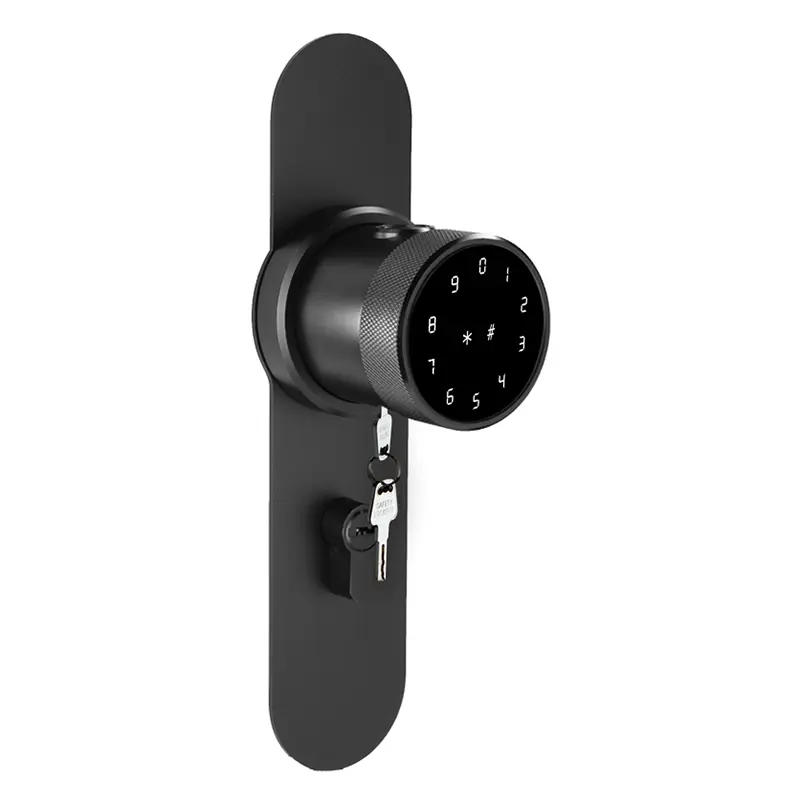
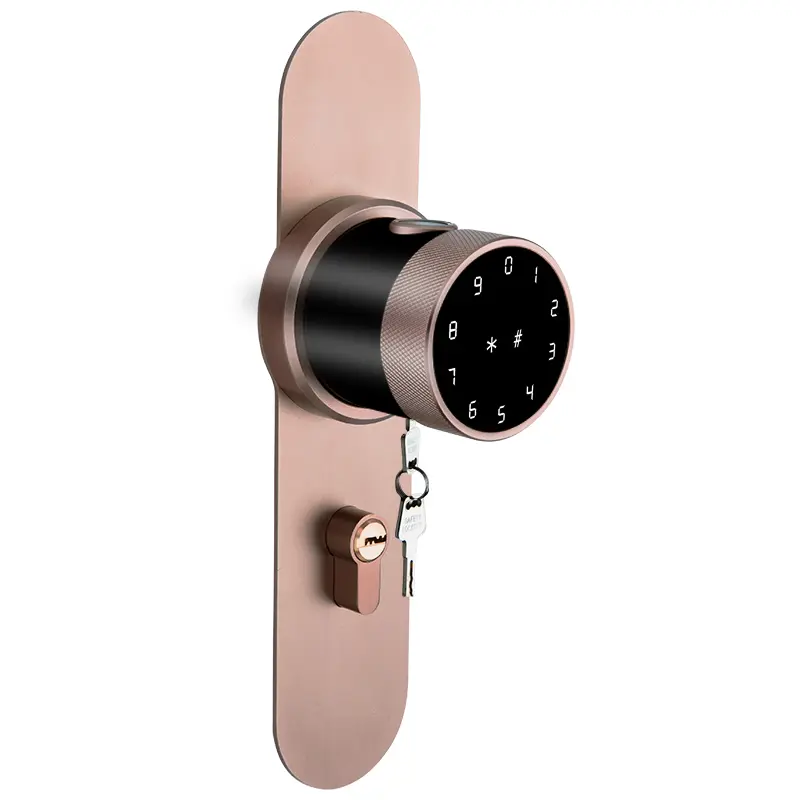
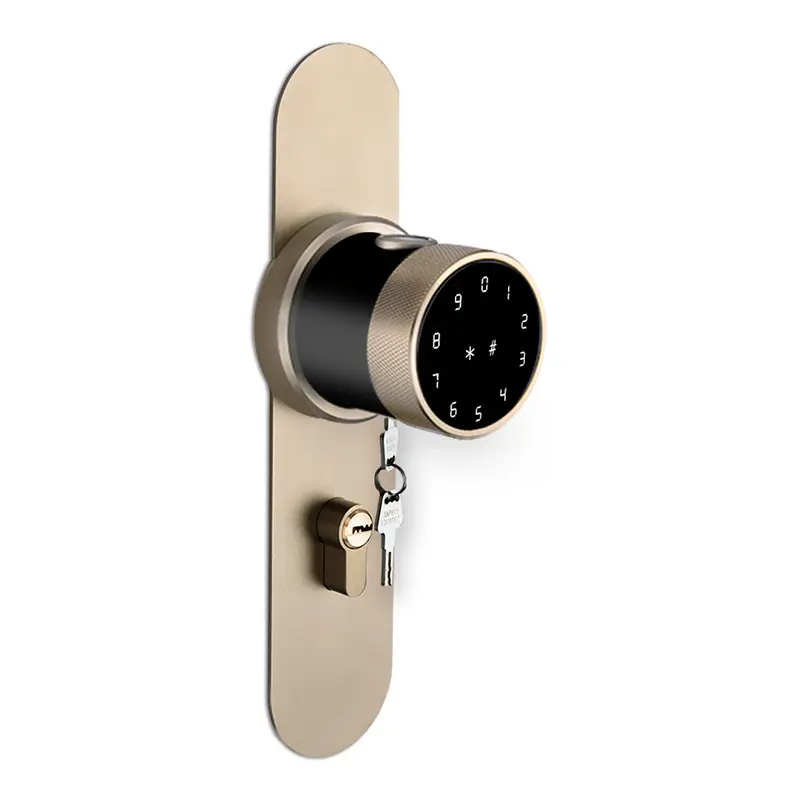
Black, Silver, Brown,Gold
Secure Lock Mode: Except for the passcode and APP of the administrator, all users’ fingerprints, passcodes and IC cards can not unlock the door.
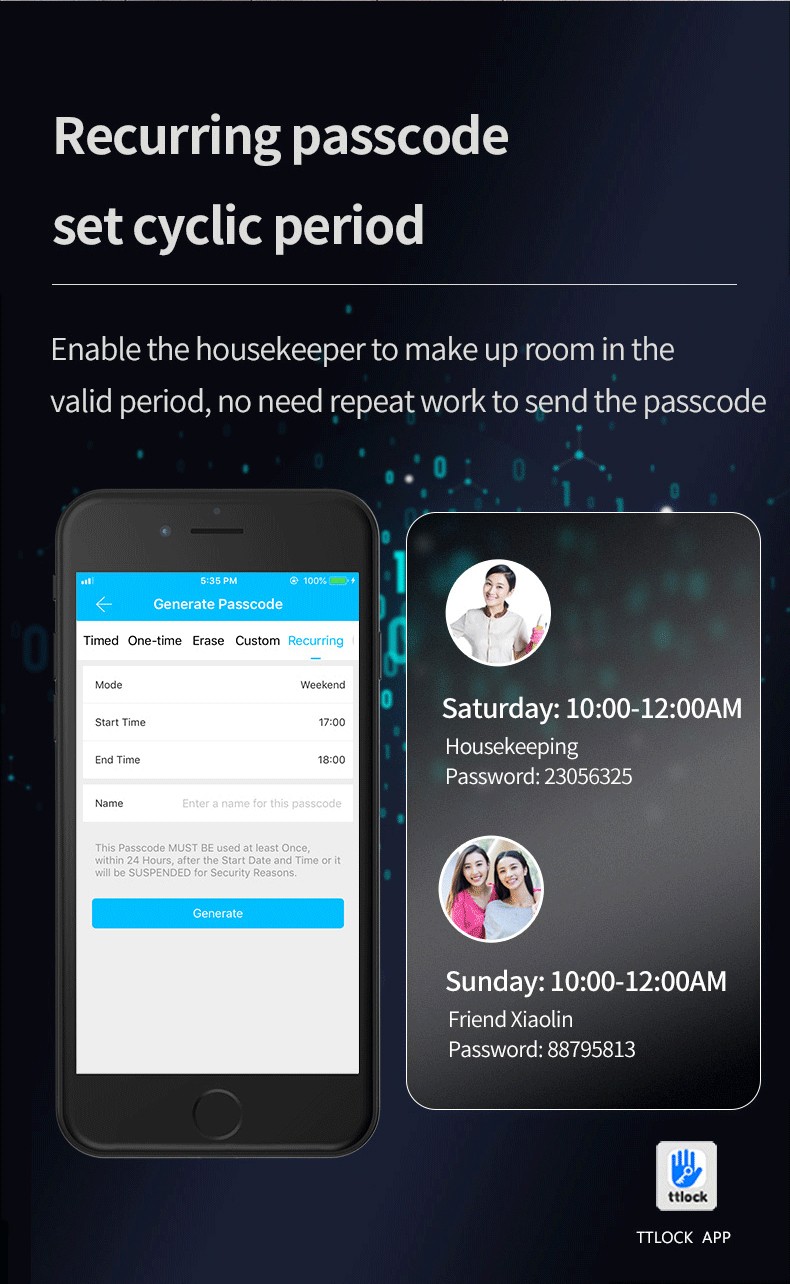
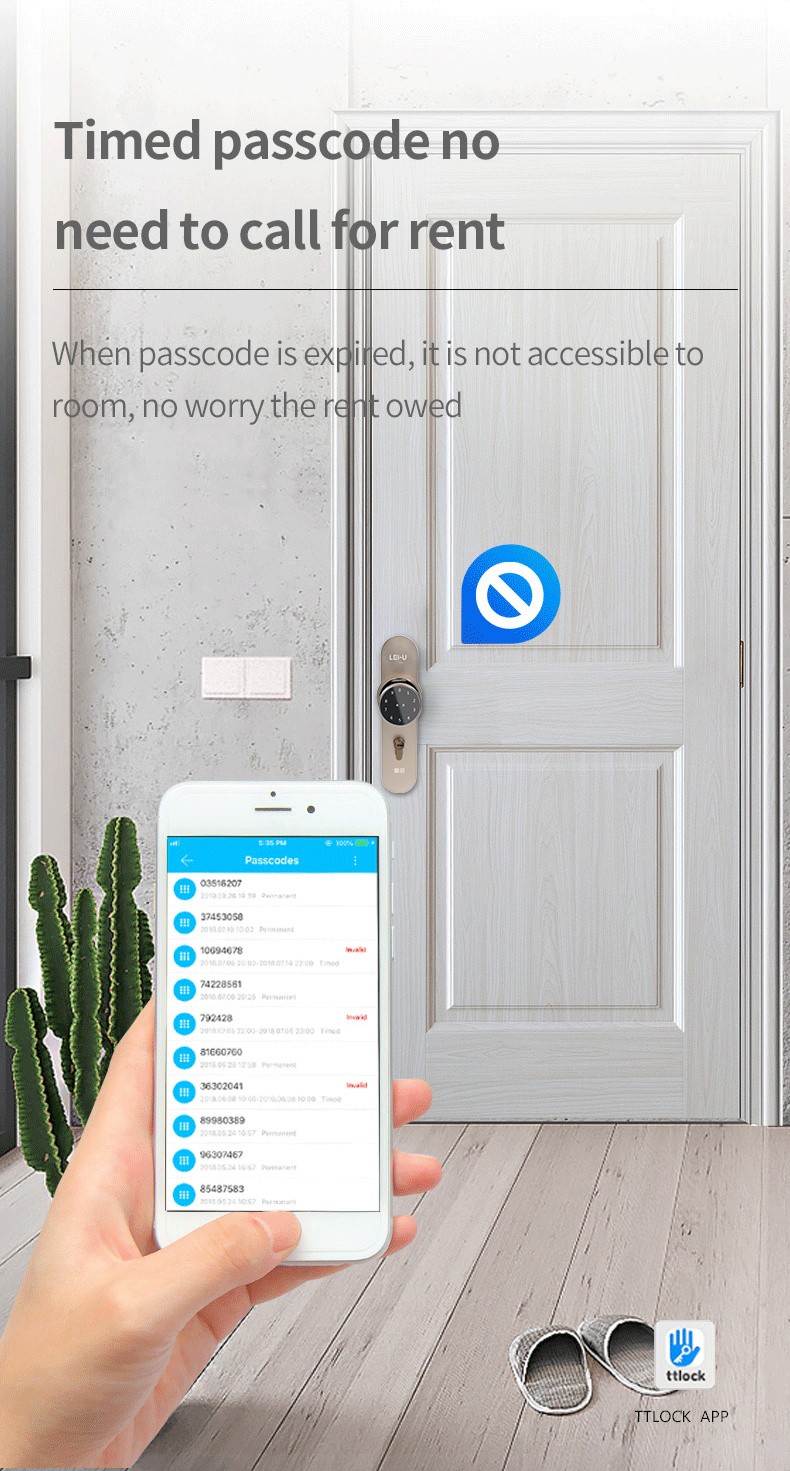
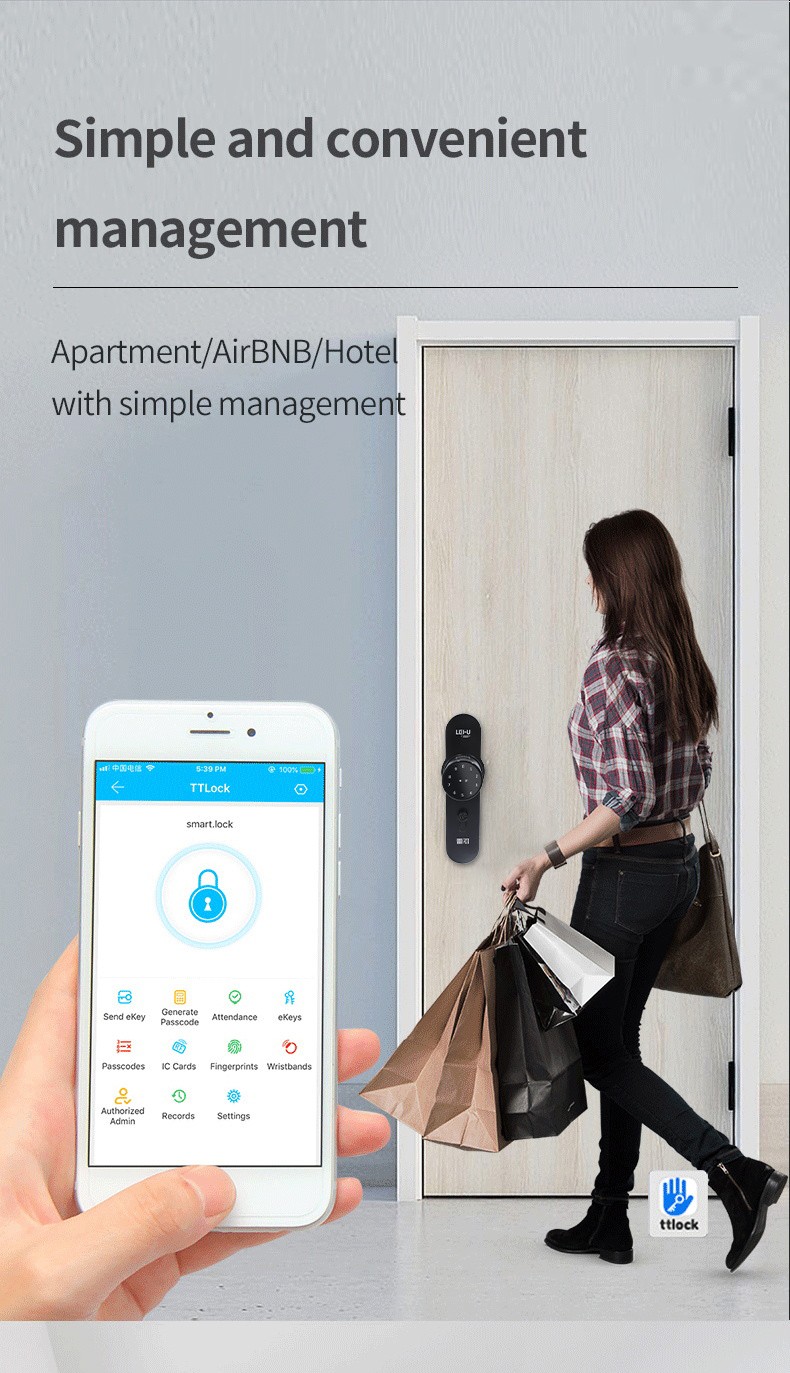
Send eKey: To authorize other users’ App permissions, the administrator clicks on and enter into “Send eKey” in App, and input the mobile phone or email account registered by other users, with setting the authorization period as timed, permanent, one-time or cyclic, and then click on “Send”. The authorized user does not need to add the lock, and can use the app to open the lock within the authorization period.
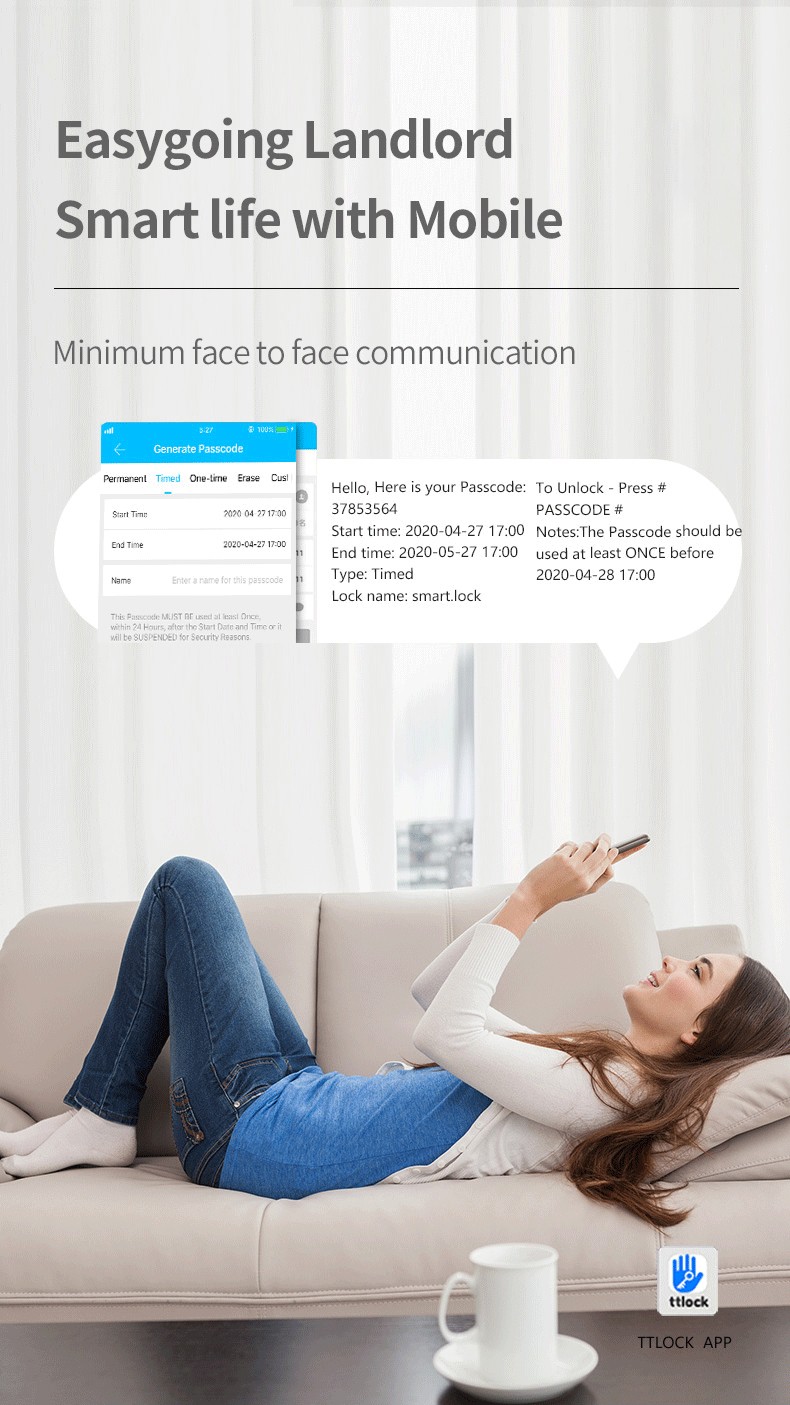
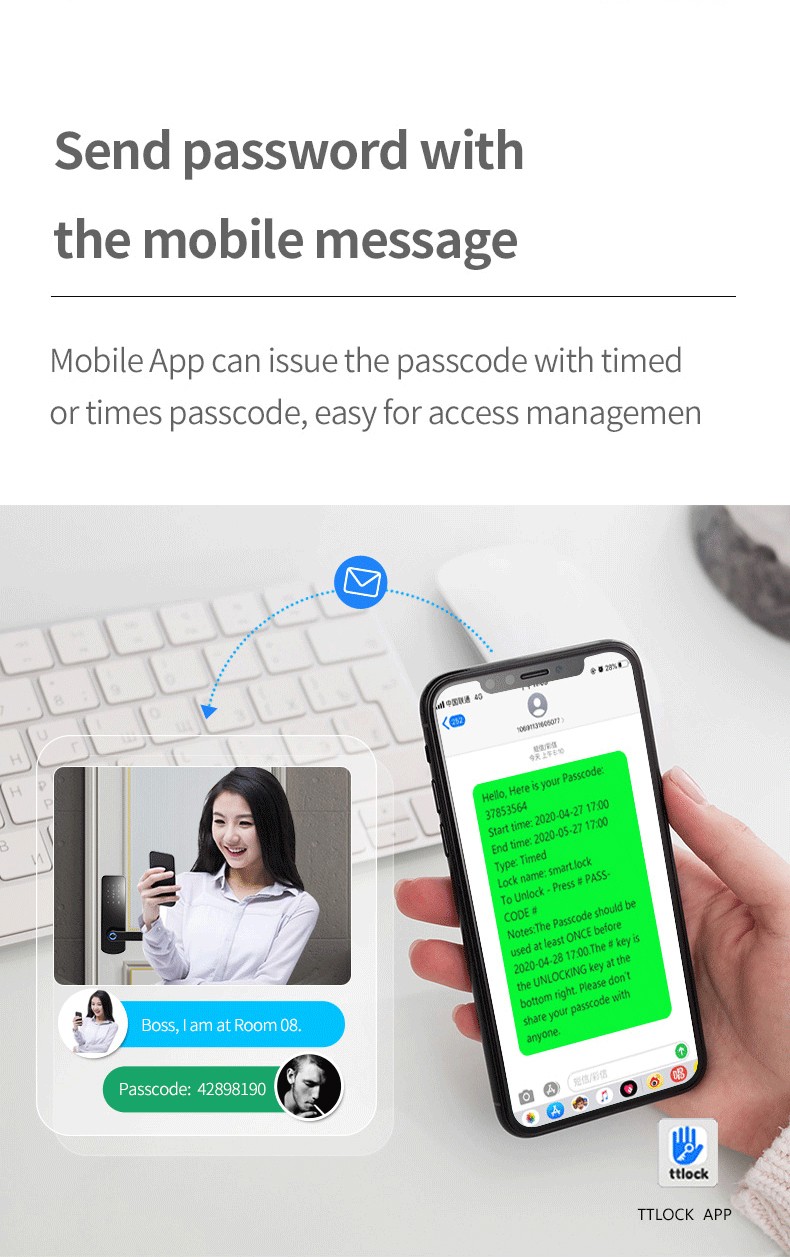
Generate Passcode: the administrator can generate a password on the App with 5 modes for your choice, including permanent, timed, one-time, custom and cyclic. For example, timed passcode can be set to be a valid passcode from 9 am to 11 am every Tuesday morning.
1.passage Mode: When You Need To Open/close The Doors Frequently, You Can Turn This Mode On, And Then Everyone Can Unlock The Door Without Any Fingerprint, Ic Card, Password Or Bluetooth.
2.secure Lock Mode: Except For App, All Users’ Fingerprints, Password And Ic Cards Can Not Unlock The Door.
3.member Management: There Are Two Types Of Members, Family Members And Other Members. Different Permissions Can Be Set According To Different Members.
4.generate Password : The Administrator Can Generate A Password On The App With 2 Modes For Your Choice, Including Permanent, Timed And One-time.
5.access Records Query: You Can Check All The Access Records At Anytime.
6.apartment Management: This App Can Send The Temporary Passcode Directly, Check In And Check Out, Check The Tenant List, Check The Access Records, Add The List Of Branches, And Pay The Rent And Utility Fees.the Landlord Can Send The Rent Bill To The Tenant By Tt Renting App. The Bill Can Include: Rent, Water And Electricity, Gas, Property And So On. This App Provides A All-feaured Mobile Management Function For Apartment And Tenement.
Materials
High Density Aluminium Alloy
Surface Treatment
Anodization
Anodization
Living fingerprint recognition, 0.5 second speed recognition
Administrator Capacity
100 PCS
User Capacity
100 PCS
Fingerprint Capacity
100 PCS
Password Capacity
20 PCS
IC Card Capacity
50 PCS
APP
TUYA APP (Bluetooth)
Unlock Mode
Fingerprint(optional), Password, IC Card, Bluetooth, Keys
Fingerprint Resolution
500 DPI
False Rejection Rate
(FRR)<0.1%
False Accept Rate
(FRA)<0.001%
Power Supply
4 PCS AA Battery
Backup Power
USB Interface
USB Interface
1 year
Work Temperature
-25~65℃
Working Relative Humidity
Working Relative Humidity
Door Thickness
35mm--65mm
Lock Body
Single-Latch,and suitable for the lock body which's backset is bigger than 45mm
Color
Black, Silver, Brown,Gold
Secure Lock Mode: Except for the passcode and APP of the administrator, all users’ fingerprints, passcodes and IC cards can not unlock the door.
Send eKey: To authorize other users’ App permissions, the administrator clicks on and enter into “Send eKey” in App, and input the mobile phone or email account registered by other users, with setting the authorization period as timed, permanent, one-time or cyclic, and then click on “Send”. The authorized user does not need to add the lock, and can use the app to open the lock within the authorization period.
Generate Passcode: the administrator can generate a password on the App with 5 modes for your choice, including permanent, timed, one-time, custom and cyclic. For example, timed passcode can be set to be a valid passcode from 9 am to 11 am every Tuesday morning.
1.passage Mode: When You Need To Open/close The Doors Frequently, You Can Turn This Mode On, And Then Everyone Can Unlock The Door Without Any Fingerprint, Ic Card, Password Or Bluetooth.
2.secure Lock Mode: Except For App, All Users’ Fingerprints, Password And Ic Cards Can Not Unlock The Door.
3.member Management: There Are Two Types Of Members, Family Members And Other Members. Different Permissions Can Be Set According To Different Members.
4.generate Password : The Administrator Can Generate A Password On The App With 2 Modes For Your Choice, Including Permanent, Timed And One-time.
5.access Records Query: You Can Check All The Access Records At Anytime.
6.apartment Management: This App Can Send The Temporary Passcode Directly, Check In And Check Out, Check The Tenant List, Check The Access Records, Add The List Of Branches, And Pay The Rent And Utility Fees.the Landlord Can Send The Rent Bill To The Tenant By Tt Renting App. The Bill Can Include: Rent, Water And Electricity, Gas, Property And So On. This App Provides A All-feaured Mobile Management Function For Apartment And Tenement.